
Creating a Metric Definition
Metric Definitions turn transaction fields into reusable business values. Examples observed in the reviewed workspace include Deposit from Geo, Deals, and Net Revenue.
For: Admin and Finance persona
Prerequisites
Section titled “Prerequisites”- A documented business value and calculation purpose
- The correct source column
- An approved aggregation type
- Any required transaction filters
- Representative matching, non-matching, and boundary records
Create the Metric Definition
Section titled “Create the Metric Definition”-
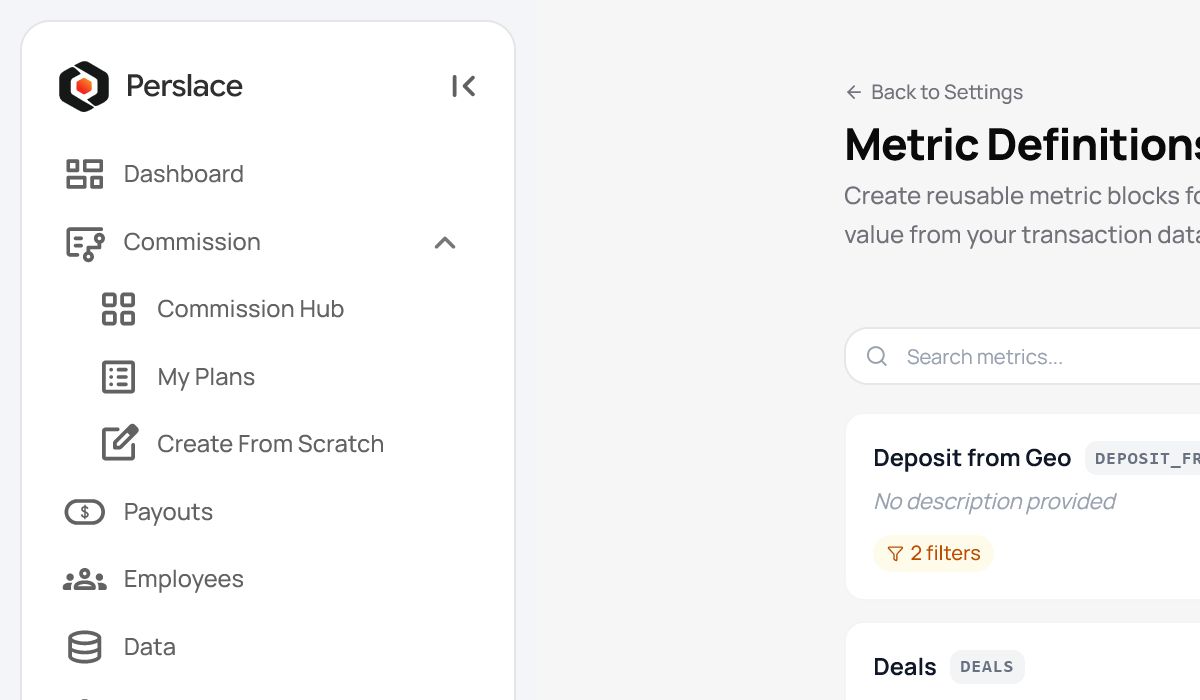
Open Settings > Metric Definitions and review existing naming conventions.
-
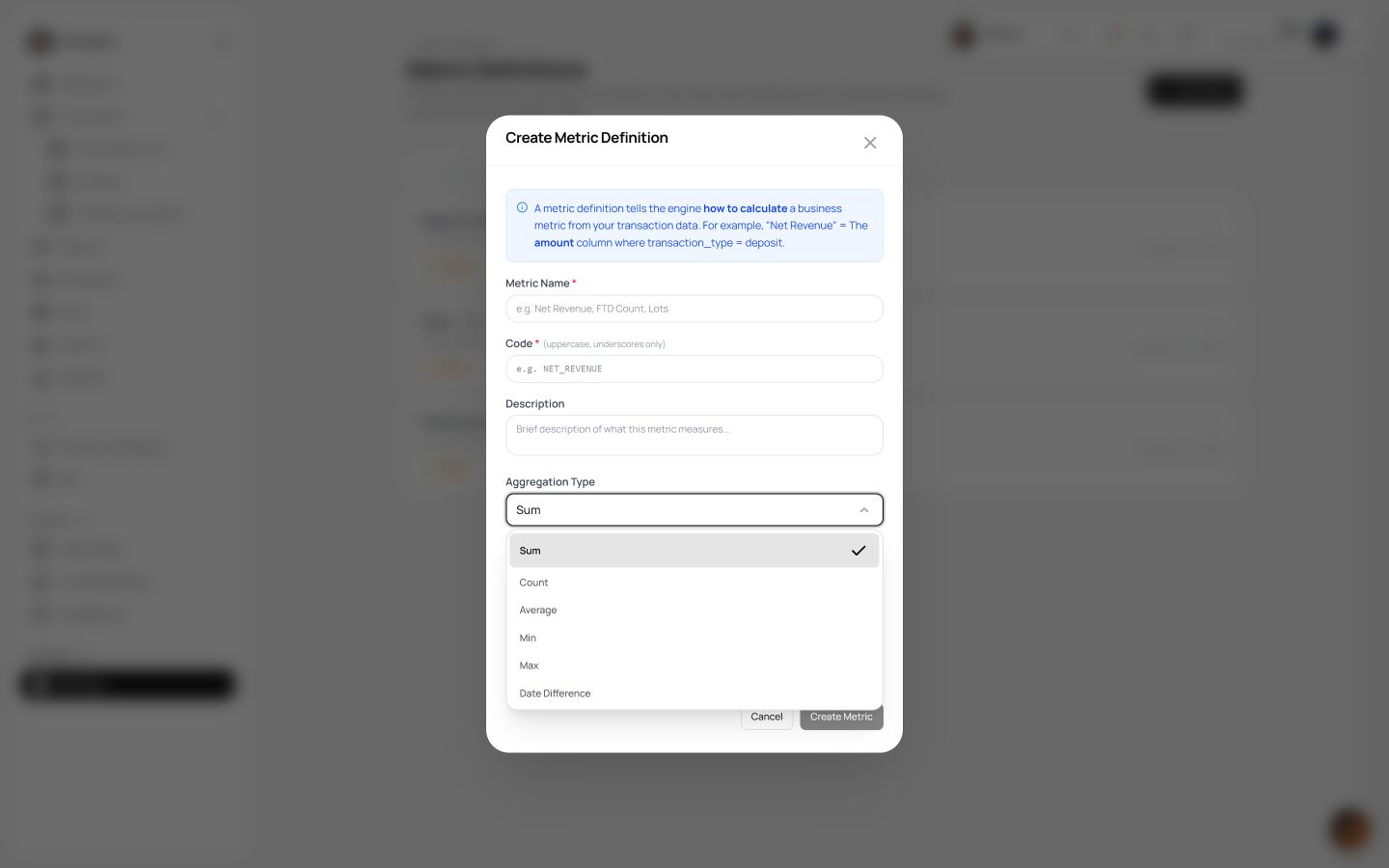
Open the create action.
-
Enter the Metric Name, Code, and description.
Use uppercase letters and underscores for the code. Explain clearly what the metric includes.
-
Choose an aggregation type: Sum, Count, Average, Min, Max, or Date Difference.
-
Select the Value Column.
-
Enable sign mapping only if the approved business rule requires it.
-
Add transaction filters by choosing the field, operator, and value.
Equals was observed during the review.
-
If relevant, review Import Deal Rules and inspect every imported condition.
-
Save the Metric Definition using the current on-screen control.
-
Test the definition with representative matching, non-matching, and boundary records before using it in schemes or targets.
Expected result
Section titled “Expected result”The new definition appears under Settings > Metric Definitions and returns the expected value for the approved sample.
Important notes
Section titled “Important notes”- A reused metric may affect several schemes or targets. Review its dependencies before editing it.
- Filters that are too narrow exclude valid records; filters that are too broad include unintended records.
- Test sign mapping and Date Difference explicitly when you use them.
- Keep a small, manually calculated sample as evidence for approval.
Troubleshooting
Section titled “Troubleshooting”The metric returns no value
Section titled “The metric returns no value”Check the selected column, reporting period, source records, filters, and sign mapping.
The metric includes unexpected records
Section titled “The metric includes unexpected records”Review every condition and any imported deal rule. Test each condition separately before combining them.
The code is rejected
Section titled “The code is rejected”Use uppercase letters and underscores. Duplicate-code validation still requires verification.
The total is wrong
Section titled “The total is wrong”Compare the chosen aggregation with a manually calculated sample. Confirm that the sample uses the same period and filters.
Related articles
Section titled “Related articles”- Importing transaction data
- Creating computed columns
- Creating a commission scheme
- Assigning a scheme
- Initial organisation setup
Last updated: August 2026