
Creating a commission scheme
The Create From Scratch workflow has five stages: Scheme Setup, Set Qualifiers, Build Rules, Manager Override Tiers, and Review & Publish.
For: Admin and Finance persona
Prerequisites
Section titled “Prerequisites”- An approved scheme design and frequency
- Verified metrics or source columns
- Approved qualifiers, rules, and tier boundaries
- The intended employee population and effective date
- Representative test data and approval authority
Create the scheme
Section titled “Create the scheme”-
Open Commission > Create From Scratch.
-
Complete Scheme Setup:
- Enter the name, icon, colour, and description.
- Choose the frequency.
- Configure Negative Revenue Carry Forward.
- Choose the scheme type.
- Use Campaign Mode only when creating a campaign.

-
In Set Qualifiers, create scheme-wide property, operator, and value conditions using AND or OR. Test records that should be included and excluded.
-
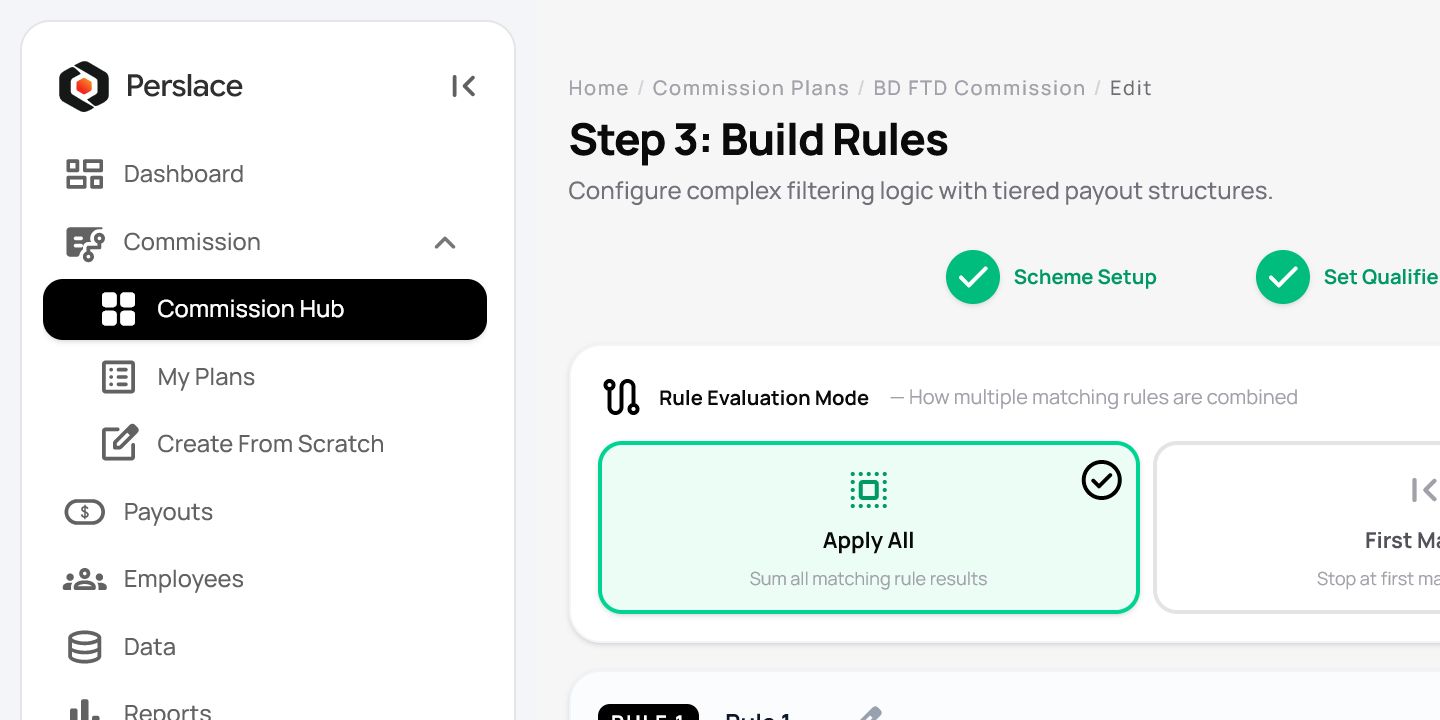
In Build Rules, choose the approved evaluation mode: Apply All, First Match, Best Match, or Lowest Match.
-
Configure each rule’s scope, metric, conditions, source, payout type, and calculation method.
Observed choices included:
- Scope: Individual or Total
- Metric type: Sum, Count, or Target Achievement
- Calculation method: SLAB or PROGRESSIVE
-
Add continuous tiers with no gaps or overlaps. Test values below, at, and above every boundary. Add a cap only when the approved scheme design requires one.
-
Configure a direct-manager override if required. Use a separate Manager Scheme for additional management levels.
-
In Review & Publish, inspect the setup, assignment and date information, qualifiers, rules, and validation results.
-
Use Historical Replay/Run Backtest with approved test data. Treat AI Plan Audit as a secondary check, not as the final approval.
-
Select Save Draft if review is incomplete. Use Update/Publish only after authorised approval.
Expected result
Section titled “Expected result”The scheme passes validation and is saved in the intended draft or published state. Assigning it to employees is a separate task.
Important notes
Section titled “Important notes”- Publishing may affect every person already included in an assignment.
- Confirm the replay source period, population, and data quality before interpreting results.
- Use scheme in general descriptions and retain Plan only when referring to an exact interface label.
- Keep approved test cases for every tier boundary.
Troubleshooting
Section titled “Troubleshooting”Validation fails
Section titled “Validation fails”Check required setup fields, condition values, metric sources, and tier gaps or overlaps.
Expected records are excluded
Section titled “Expected records are excluded”Review scheme-wide qualifiers and the selected AND/OR behaviour.
An unexpected rule applies
Section titled “An unexpected rule applies”Check the evaluation mode, scope, metric, source, payout type, method, and cap.
Additional manager levels are missing
Section titled “Additional manager levels are missing”Create a separate Manager Scheme for levels beyond the direct-manager override.
Related articles
Section titled “Related articles”Last updated: August 2026